Showing posts with label Stardoll Presentations. Show all posts

Saturday, 12 July 2014

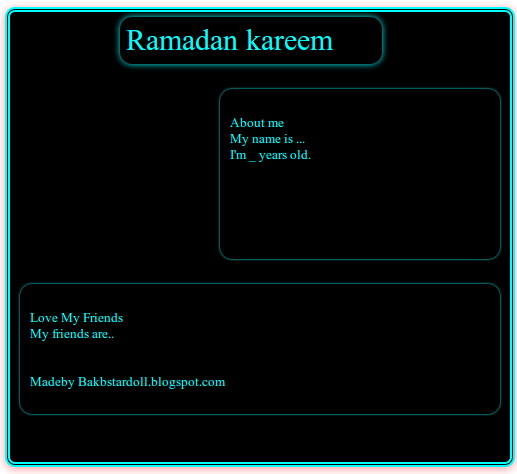
Stardoll Presentation # 24 Ramadan Special


Copy and paste this code into your presentation

Stardoll presentation # 23

Copy and paste this code in to your stardoll presentation

Stardoll Presentation # 22


Stardoll famous Quote in this Stardoll Presentation
Style is knowing who you are and what you want to say..


Click read more
and Copy and Paste the code in to your Stardoll presentation

Stardoll Presentation # 21


Drag this presentation into your presentation 
or
Click read more
and Copy and Paste the code in to your Stardoll presentation

Stardoll Presentation # 20


Hey Dollies!
Once again we have started to give daily new stardoll presentations in this blog 
you guys can come daily for a new Ramadan  Presentation


Copy and paste this code in to your pres

Sunday, 16 March 2014

Real Picture for stardoll Presentation

Today i'm going to give some real pictures for your Stardoll Presentation
when you click on My Pic 1 you can view real picture, you can have this into your stardoll presentation


First picture is  BAKBStardoll wallpaper
2nd Twilight Picture
3rd Nothing Girl picture
4th B4Barbie Picture
Just Drag and drop these My Pic 1,2,3,4 into your Stardol presentation and click save
Click on read more to get it
Read More

Wednesday, 12 March 2014

Stardoll Presentation Fonts

Stardoll Presentation Fonts
just drag and drop into your stardoll Presentation to get them.


S i x t e e n : D
Fourteen ~
R  i    g    h   t      :   ) 
xoxo

Tuesday, 11 February 2014

How to Resize Stardoll Picture ?

How to resize Stardoll Picture?

in Google Chrome the method to resize the stardoll picture is:

First see the difference one is big and second is small
 Step 1
First Click edit
Step 2
Then click on existing image
 Step 3
Select the image from camera
 step 4
Selected
 step 5
Click save
 step 6
Saved
step 7 
Again edit you presentation
Step 8
Right click on image and click "Inspect Element"
 Step 9
These elements will appear

Now click on 'Matrics" where you are watching the arrow
 step 10
Double click on the image size where you are watching the arrow
 step 11
select the appropriate size Like. i have selected 220 and 220
 step 12
I have selected 222 and 222
 step 13
Click on cross on the right side
step 14 
Click save thats all
Done!!
See the difference


Stardoll Presentation # 20


Click Read More and 
copy and paste the code in your presentation

Stadoll Presentation # 19


Click Read More and 
copy and paste the code in your presentation

Wednesday, 22 January 2014

Thursday, 16 January 2014

Stardoll Presentation # 16


Click Read More and 
copy and paste the code in your presentation

Stardoll Presentation # 14


Stardoll Presentation Radio Active


Click Read More and 
copy and paste the code in your presentation

Monday, 6 January 2014

Sunday, 29 December 2013

Stardoll Presentation # 12


Stardoll presentation Html codes 

copy and paste this code in your presentation

Stardoll Presentation # 11


copy and paste this code in your presentation
to get code click read more

Saturday, 21 December 2013

How to make Stardoll Presentation?

Q. How to make Stardoll Presentation?
Q. How to make Stardoll presentation black background?

Answer here.

Stardoll Presentations Wikipedia, the free encyclopedia


earch Results


Monday, 16 December 2013